-
En GitHub, navegue hasta la página principal del repositorio.
-
En el nombre del repositorio, haga clic en la Security and quality pestaña . Si no puede ver la pestaña " Security and quality", seleccione el menú desplegable y, a continuación, haga clic en Security and quality.
-
En la barra lateral izquierda, en "Informes", haga clic en Directiva de seguridad.
-
Haga clic en Iniciar configuración.
-
En el nuevo archivo
SECURITY.md, agregue información sobre las versiones admitidas del proyecto y cómo notificar una vulnerabilidad. -
Haga clic en Confirmar cambios.
-
En el campo de "Mensaje de confirmación", escriba un mensaje de confirmación corto y significativo que describa la modificación que hizo en el archivo. Puedes atribuir el cambio a mas de un autor en el mensaje del mismo. Para más información, consulta Crear un commit con varios autores.
-
Si tiene más de una dirección de correo electrónico asociada a la cuenta en GitHub, haga clic en el menú desplegable de la dirección de correo electrónico y seleccione la que se usará como dirección de correo electrónico del creador de Git. Únicamente las direcciones de correo electrónico verificadas aparecen en el menú desplegable. Si ha habilitado la privacidad de la dirección de correo electrónico, una dirección de correo electrónico no responder del creador de la confirmación será la predeterminada. Para más información sobre el formato exacto que puede tomar la dirección de correo electrónico sin respuesta, consulta Configurar tu dirección de correo electrónico de confirmación.
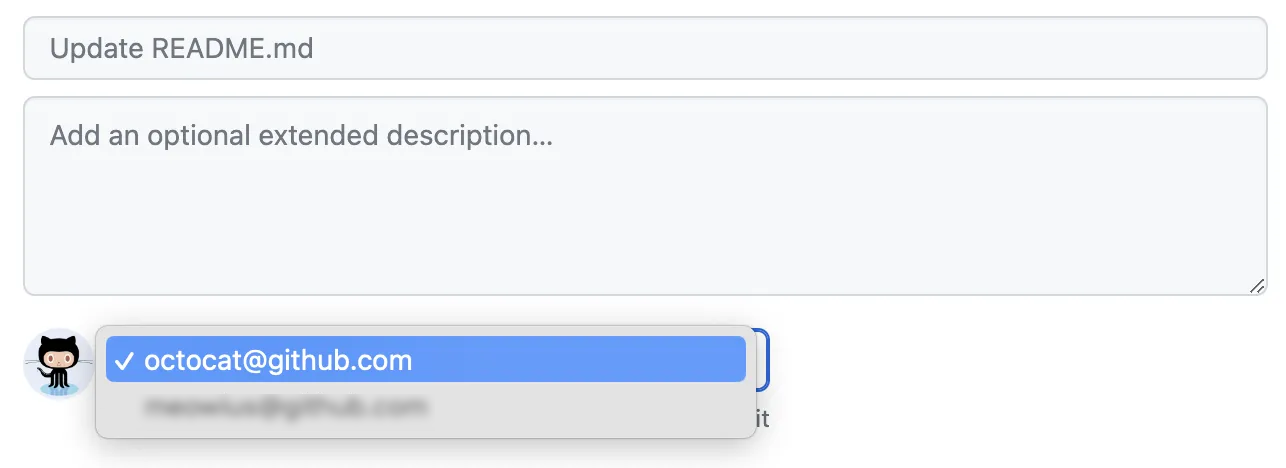
-
Debajo de los campos para el mensaje de confirmación, decide si deseas agregar tu confirmación a la rama actual o a una rama nueva. Debajo de los campos del mensaje de confirmación, decide si deseas agregar tu confirmación a la rama actual o a una nueva rama. Si tu rama actual es la rama predeterminada, debes elegir crear una nueva rama para tu confirmación y después crear una solicitud de extracción. Para más información, consulta Crear una solicitud de incorporación de cambios.
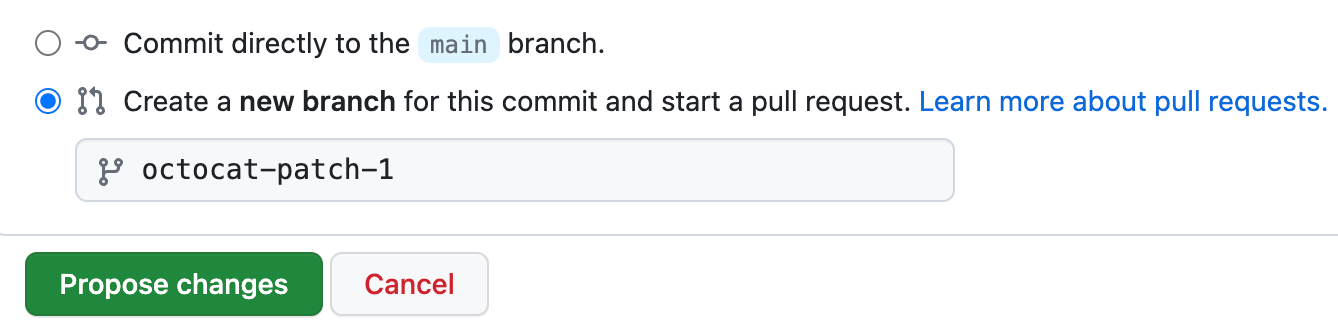
-
Haz clic en Confirmar cambios o Proponer cambios.
Agregar una política de seguridad a tu repositorio
Puedes dar instrucciones de cómo reportar una vulnerabilidad de seguridad en tu proyecto si agregas una política de seguridad a tu repositorio.

