-
企業ページに移動してください。 たとえば、GitHub.com の [Enterprise] ページから。
-
ページ上部で、 [請求とライセンス管理] をクリックします。
-
[請求とライセンス] サイドバーで、 [ライセンス管理] をクリックします。
-
[Copilot] セクションで、[ 管理] をクリックします。
-
組織 タブをクリックします。
-
Copilot をダウングレードしたい組織を探します。
-
Organization 名の右側にある [Copilot] ドロップダウン メニューを選び、[Business] をクリックします。
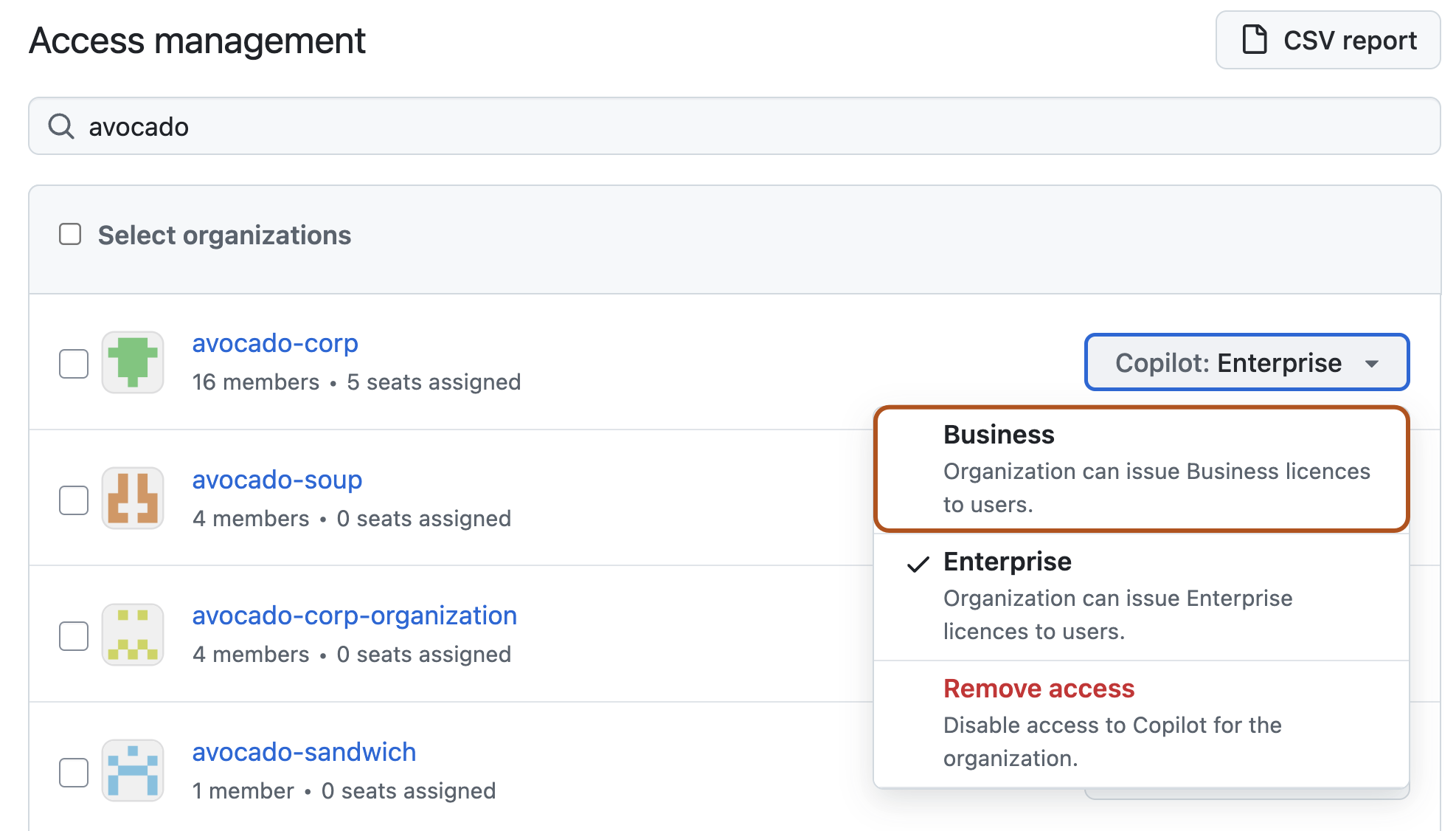
-
表示されるポップアップ ウィンドウで、organization のダウングレードにより生じる影響を確認し、[Confirm and downgrade] (確認してダウングレード) をクリックします。
企業向けのGitHub Copilot のダウングレード
Enterprise 内の organization を Copilot Enterprise から Copilot Business にダウングレードできます。
