Volver a ejecutar un Dependabot version updates trabajo
-
En GitHub, navegue hasta la página principal del repositorio.
-
Debajo del nombre del repositorio, haz clic en Insights.

-
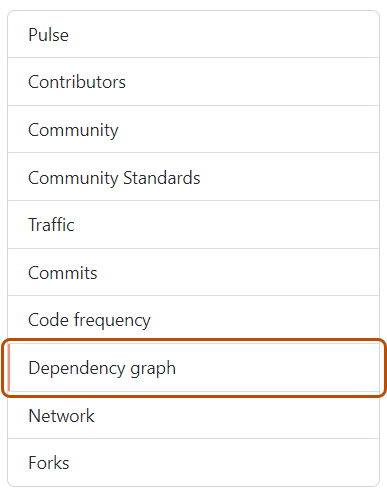
En la barra lateral izquierda, haga clic en Gráfico de dependencias.
-
En "Gráfico de dependencias", haga clic en Dependabot .
-
A la derecha del nombre del archivo de manifiesto que le interesa, haga clic en Trabajos de actualización recientes.
-
A la derecha del archivo de manifiesto afectado, haga clic en Buscar actualizaciones para volver a ejecutar un Dependabot version updates trabajo y comprobar si hay nuevas actualizaciones en las dependencias de ese ecosistema.


Volver a ejecutar un Dependabot security updates trabajo
- En GitHub, navegue hasta la página principal del repositorio.
- En el nombre del repositorio, haga clic en Security and quality.
- En la barra lateral izquierda, en "Alertas de vulnerabilidad", haga clic en Dependabot.
- En "Dependabot", haga clic en la alerta que desea ver.
- En la sección que muestra los detalles del error de la alerta, haga clic en Intentar de nuevo para volver a ejecutar el Dependabot security updates trabajo.