Enabling private vulnerability reporting gives security researchers a secure, structured way to disclose vulnerabilities directly in your repository. Once enabled, researchers can submit reports through your repository's private vulnerability reporting form without resorting to public disclosure or informal channels. For background on private vulnerability reporting and how it fits into coordinated disclosure, see Coordinated disclosure of security vulnerabilities.
The instructions in this article refer to enablement at repository level. For information about enabling the feature at organization level, see Creating a custom security configuration.
Enabling or disabling private vulnerability reporting for a repository
-
On GitHub, navigate to the main page of the repository.
-
Under your repository name, click Settings. If you cannot see the "Settings" tab, select the dropdown menu, then click Settings.

-
In the "Security and quality" section of the sidebar, click Advanced Security.
-
Under "Advanced Security", to the right of "Private vulnerability reporting", click Enable or Disable, to enable or disable the feature, respectively.
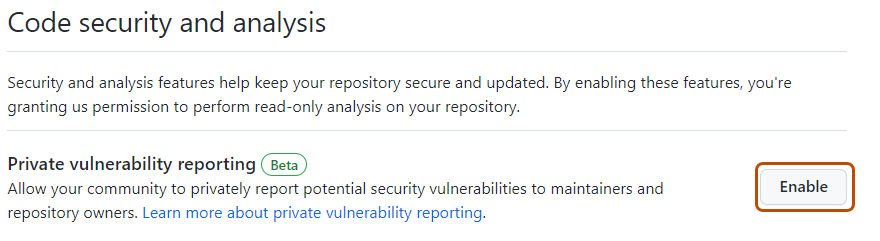


When private vulnerability reporting is enabled, security researchers see a Report a vulnerability button on the repository’s "Advisories" page, which allows them to submit a private report.

Security researchers can also use the REST API to privately report security vulnerabilities. API submissions use a Markdown description. If the repository or its owner's .github repository defines a custom vulnerability reporting form, the API description must contain the required sections and responses from that form. The built-in default form is not enforced for API submissions.
You can use the REST API to retrieve the custom form that applies to a repository. See REST API endpoints for repository security advisories.
Customizing the vulnerability reporting form
By default, the private vulnerability reporting form requires reporters to provide a summary, details, proof of concept, and impact statement. This structured information helps maintainers assess reports consistently and reduces the need to request missing details.
To customize the form, add a VULNERABILITY_REPORT.yml or VULNERABILITY_REPORT.yaml file to the repository's .github directory. You can also define a default form for an organization or personal account in the .github repository owned by that account. A form in an individual repository takes precedence over the form in the owner's .github repository.
Private vulnerability reporting forms use the same YAML syntax as issue forms. The forms support checkboxes, dropdown, input, markdown, and textarea elements. You can mark fields as required and use min_length to require a minimum number of characters for input and textarea elements. For information about the supported keys for each element, see Syntax for GitHub's form schema.
For example, the following form requires a detailed proof of concept of at least 100 characters.
name: Private vulnerability report
description: Provide the information maintainers need to assess the report.
body:
  - type: textarea
    id: summary
    attributes:
      label: Summary
      description: Summarize the vulnerability and its potential severity.
    validations:
      required: true
  - type: textarea
    id: proof_of_concept
    attributes:
      label: Proof of concept
      description: Provide complete instructions for reproducing the vulnerability.
    validations:
      required: true
      min_length: 100
  - type: textarea
    id: impact
    attributes:
      label: Impact
      description: Explain who is affected and how.
    validations:
      required: true
name: Private vulnerability report
description: Provide the information maintainers need to assess the report.
body:
  - type: textarea
    id: summary
    attributes:
      label: Summary
      description: Summarize the vulnerability and its potential severity.
    validations:
      required: true
  - type: textarea
    id: proof_of_concept
    attributes:
      label: Proof of concept
      description: Provide complete instructions for reproducing the vulnerability.
    validations:
      required: true
      min_length: 100
  - type: textarea
    id: impact
    attributes:
      label: Impact
      description: Explain who is affected and how.
    validations:
      required: true
If GitHub cannot parse or validate a custom form, reporters see the default form instead.
Requiring reporters to assign a CWE
You can require reporters to associate at least one Common Weakness Enumeration (CWE) with each new report. This repository-level setting applies to reports submitted in the web interface and with the REST API. It does not apply to repository maintainers who create advisories or to edits of existing reports.
-
On GitHub, navigate to the main page of the repository.
-
Under your repository name, click Settings. If you cannot see the "Settings" tab, select the dropdown menu, then click Settings.
-
In the "Security and quality" section of the sidebar, click Advanced Security.
-
Under Advanced Security, to the right of Private vulnerability reporting, click Settings.
-
Under Submission requirements, enable Require a CWE assignment.
Configuring notifications for private vulnerability reporting
When a new vulnerability is privately reported in a repository, GitHub notifies repository administrators and security managers if:
- They're watching the repository for all activity or are subscribed to “Security alerts” notifications.
- They have notifications enabled for the repository.
Notifications depend on the user's notification preferences. You will receive an email notification if:
- You are watching the repository with All Activity selected, or with Security alerts (available under Custom) selected.
- In your notification settings, under Subscriptions, then under Watching, you have selected to receive notifications by email.
-
On GitHub, navigate to the main page of the repository.
-
To start watching the repository, select Watch.

-
In the dropdown menu, select All Activity to receive notifications for all activity, or select Custom, then Security alerts to receive notifications only for security alerts.
-
Navigate to the notification settings for your personal account. These are available at https://github.com/settings/notifications.
-
On your notification settings page, under "Subscriptions," then under "Watching," click the Notify me dropdown.
-
Select "Email" as a notification option, then click Save.
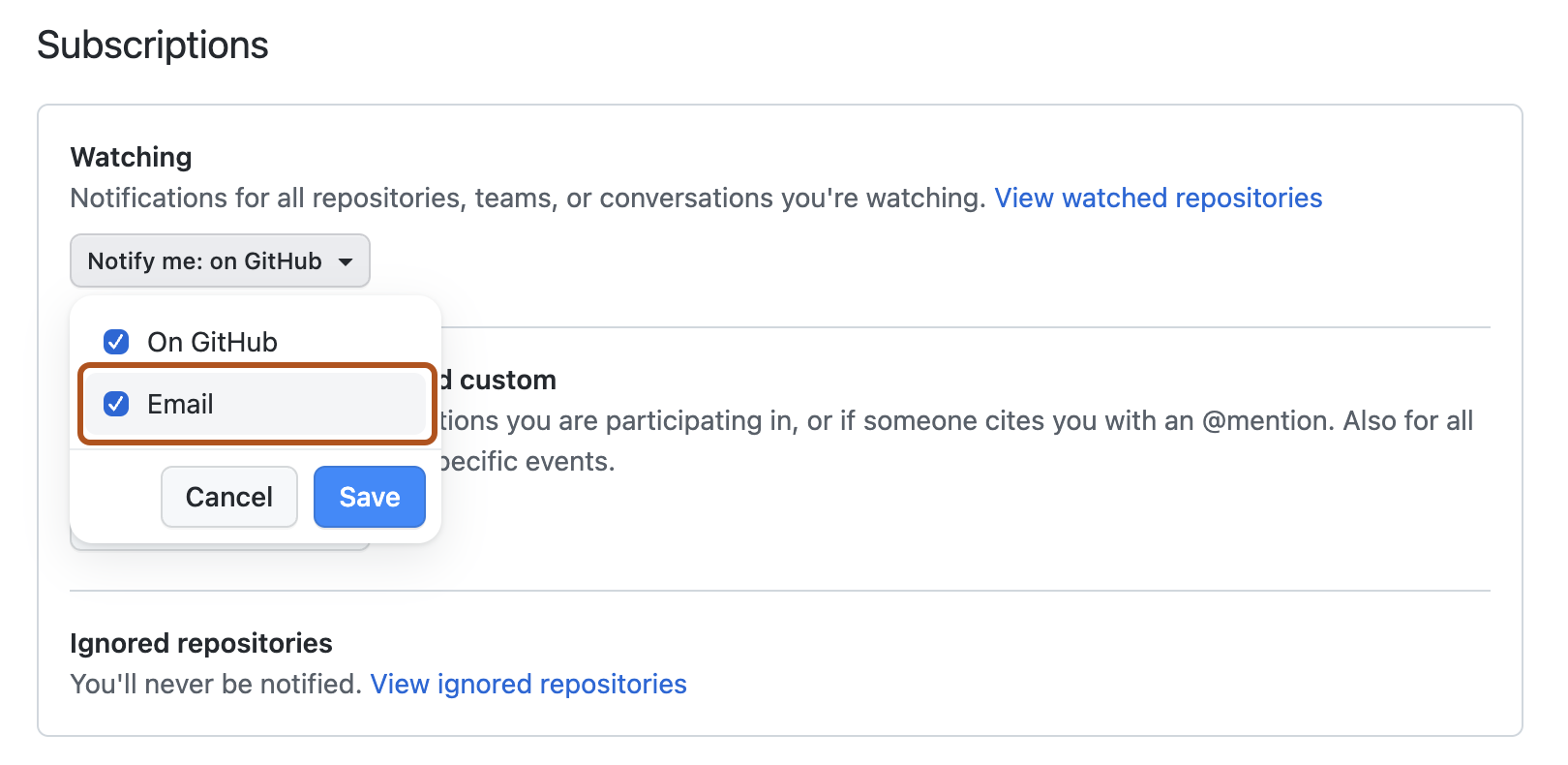


For more information about setting up notification preferences, see Managing security and analysis settings for your repository and Configuring your watch settings for an individual repository.