-
Navigieren Sie zu Ihrem Unternehmen. Beispielsweise auf der Seite Unternehmen in GitHub.com.
-
Klicke oben auf der Seite auf Billing and Licensing.
-
Klicken Sie in der Randleiste "Abrechnung und Lizenzierung" auf Licensing.
-
Klicken Sie im Abschnitt "Copilot" auf "Verwalten".
-
Klicke auf die Registerkarte -Organisationen.
-
Suche die Organisation, für die du Copilot herabstufen möchtest.
-
Wähle rechts neben dem Organisationsnamen das Dropdownmenü Copilot aus, und klicke auf Business.
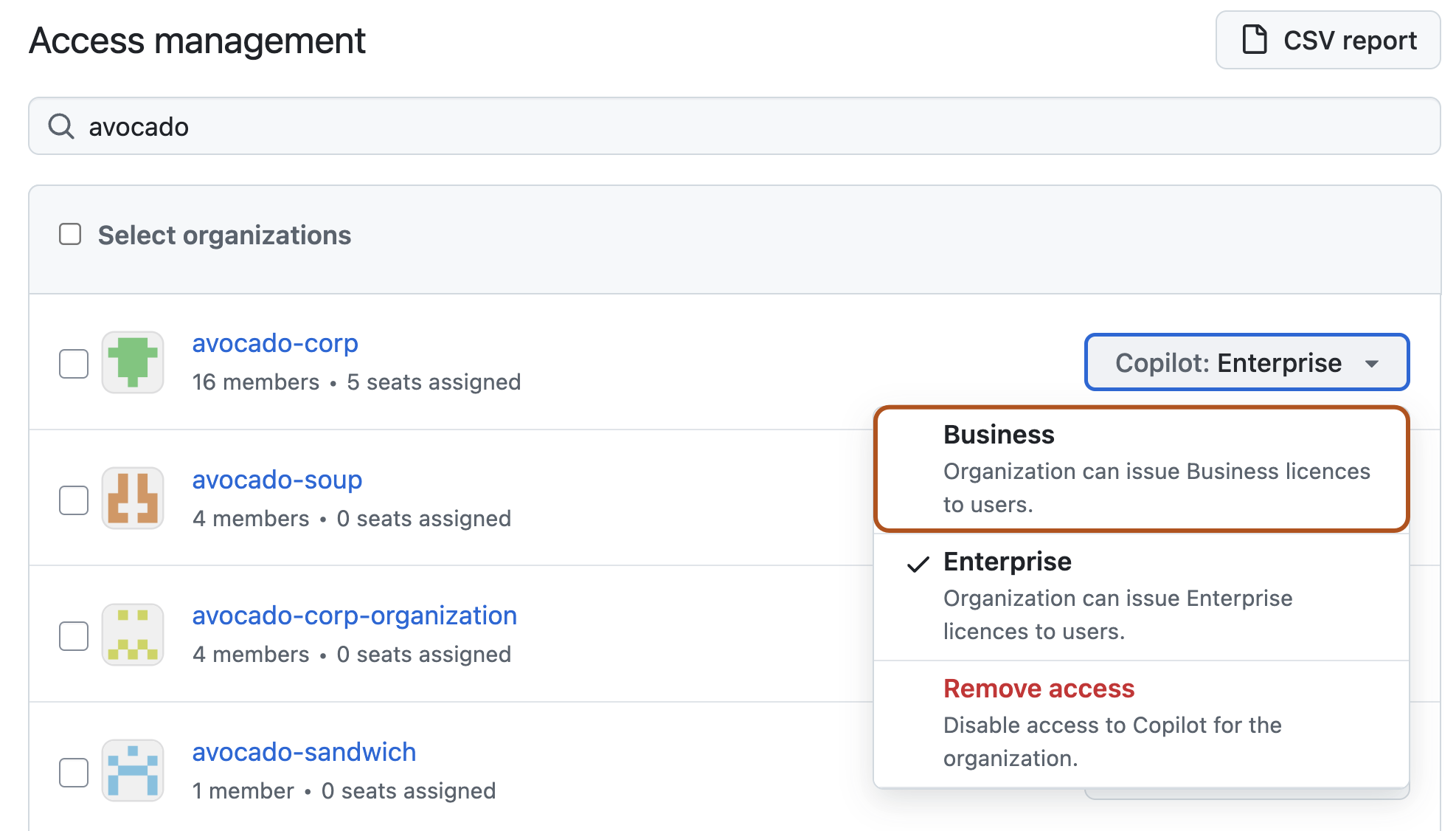
-
Überprüfen Sie im daraufhin angezeigten Pop-Up die Auswirkungen der Herabstufung der Organisation und klicken Sie dann auf Bestätigen und Downgraden.
Die Herabstufung von GitHub Copilot für Ihr Unternehmen
Du kannst Organisationen in deinem Unternehmen von Copilot Enterprise auf Copilot Business herabstufen.
