Note
This article applies to repository-level security advisories in a public repository. To edit a global advisory in the GitHub Advisory Database, see Editing security advisories in the GitHub Advisory Database.
Removing a collaborator from a security advisory
If you remove a user from a repository or organization, and the user is also a collaborator on a security advisory, GitHub will automatically remove the user as a collaborator for the security advisory. This prevents any unauthorized access from ex-collaborators.
-
On GitHub, navigate to the main page of the repository.
-
Under the repository name, click the Security and quality tab. If you cannot see the " Security and quality" tab, select the dropdown menu, and then click Security and quality.
-
In the left sidebar, under "Reporting", click Advisories.
-
In the "Security Advisories" list, click the name of the security advisory you'd like to remove a collaborator from.
-
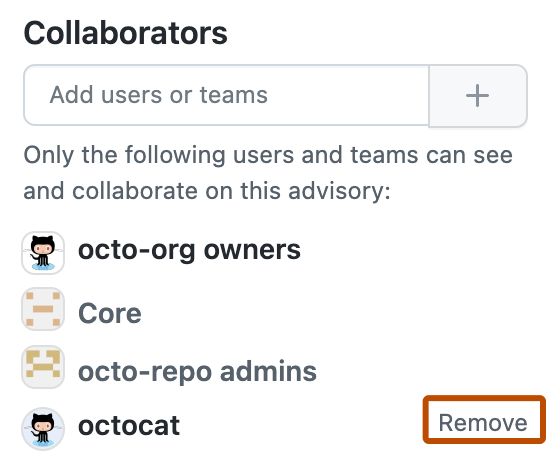
On the right side of the page, under "Collaborators", find the name of the user or team you'd like to remove from the security advisory.
-
Next to the collaborator you want to remove, click Remove.