There are two different ways to pay for GitHub Secret Protection, GitHub Code Security, and GitHub Advanced Security licenses: volume/subscription licenses purchased in advance or usage-based metered billing paid in arrears. This article is about volume/subscription licenses. For information about the two different billing models, see GitHub Advanced Security license billing.
For information about using policies to control use of licenses in your enterprise, see Enforcing policies for code security and analysis for your enterprise.
Changing the size of your license
-
Navigate to your organization or enterprise. For example, from the Organizations or Enterprises pages on GitHub.com.
-
From the list of "Billing & licensing" pages, click Licensing.
-
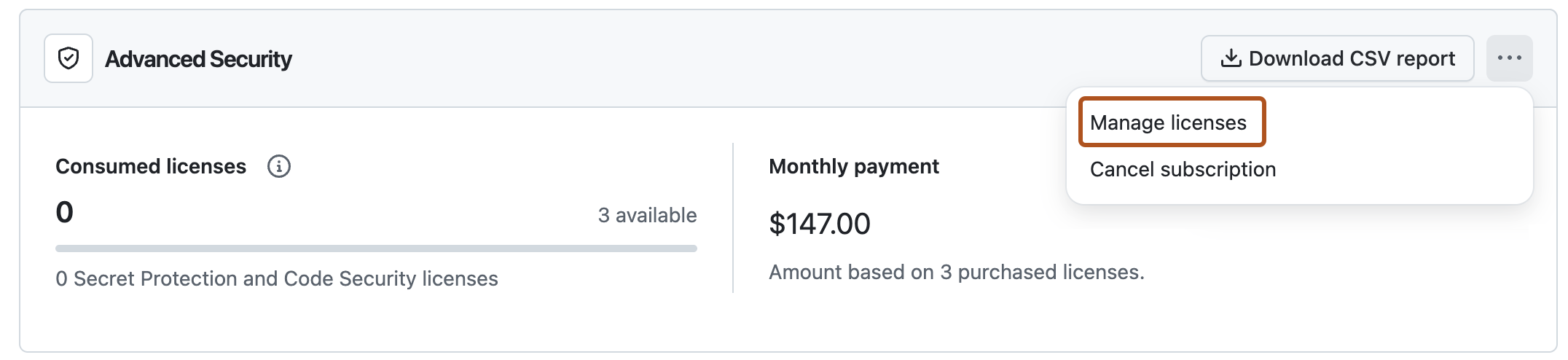
To add new licenses, select , then click Manage licenses.
-
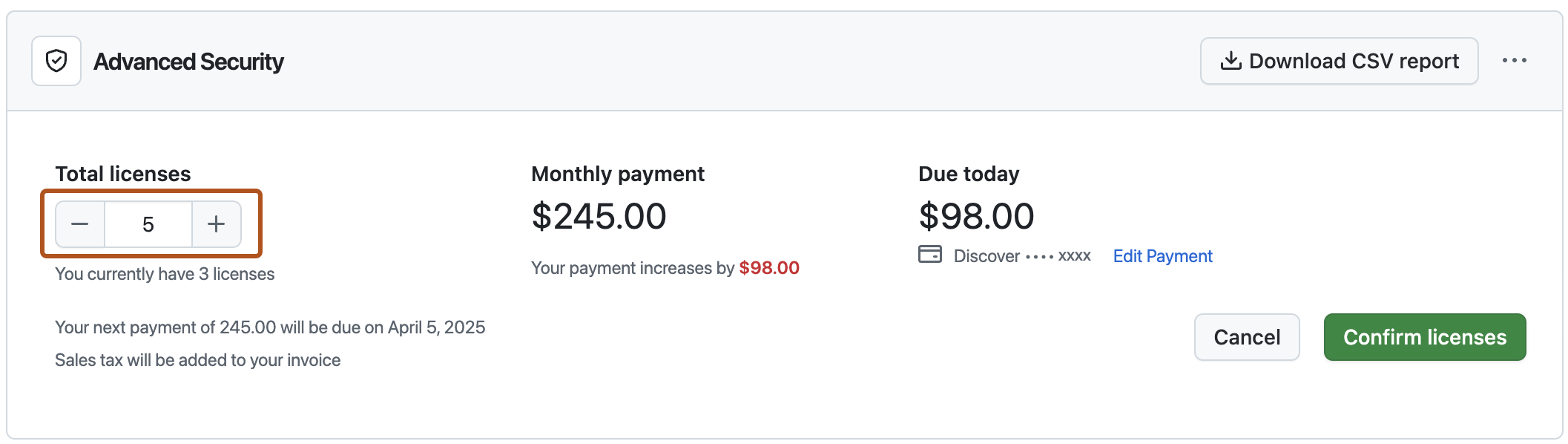
Under "Total licenses", click the plus or minus buttons to add or remove licenses.
-
Click Confirm licenses.


Canceling your Advanced Security subscription
- Navigate to your organization or enterprise. For example, from the Organizations or Enterprises pages on GitHub.com.
- From the list of "Billing & licensing" pages, click Licensing.
- To the right of "Advanced Security", select , then click Cancel subscription.
- To confirm your cancellation, click I understand, cancel Advanced Security.
Disabling GitHub Advanced Security in an enterprise
Enterprise owners can disable GitHub Advanced Security completely and set a policy to prevent future re-enablement. See Disabling GitHub Advanced Security for your enterprise.