Wenn Ihr IdP nicht verfügbar ist, können Sie einen Wiederherstellungscode verwenden, um sich anzumelden und auf Ihr Unternehmen GitHubzuzugreifen. Weitere Informationen finden Sie unter Zugriff auf dein Unternehmenskonto, wenn dein Identitätsanbieter nicht verfügbar ist.
Wenn du deine Wiederherstellungscodes beim Konfigurieren von SSO nicht gespeichert hast, kannst du über die Einstellungen deines Unternehmens auf die Codes zugreifen.
Herunterladen von Codes für ein Unternehmen mit individuellen Benutzerkonten
-
Navigieren Sie zu Ihrem Unternehmen. Beispielsweise auf der Seite Unternehmen in GitHub.com.
-
Klicken Sie oben auf der Seite auf "Einstellungen".
-
Klicke unter Settings auf Authentication security.
-
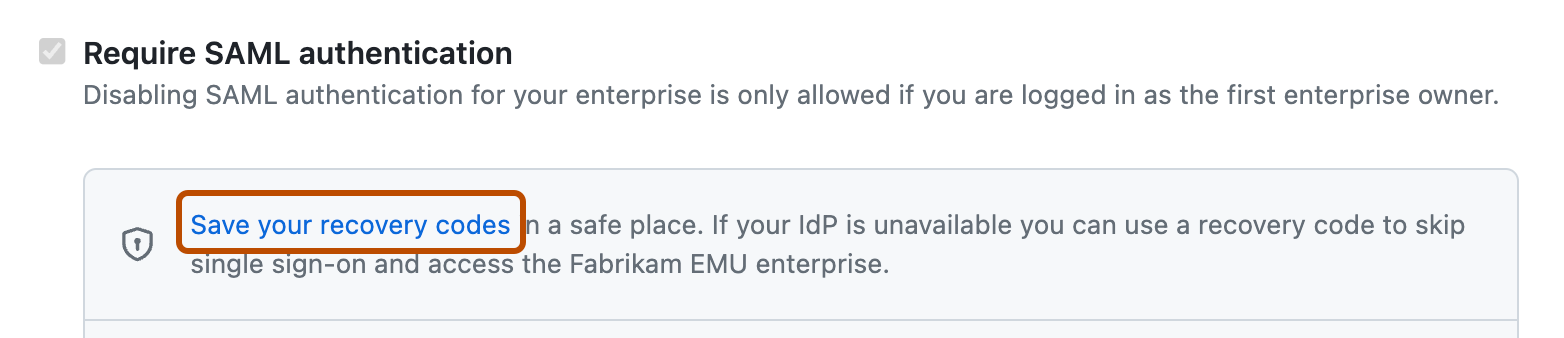
Klicken Sie unter „SAML-Authentifizierung anfordern“ auf Wiederherstellungscodes speichern.
-
Speichere deine Wiederherstellungscodes, indem du auf Herunterladen, Drucken oder Kopieren klickst.

Codes für ein Unternehmen mit Enterprise Managed Users herunterladen
-
Navigieren Sie zu Ihrem Unternehmen. Beispielsweise auf der Seite Unternehmen in GitHub.com.
-
Klicken Sie oben auf der Seite auf "Identitätsanbieter".
-
Klicke unter Identity Provider auf Single sign-on configuration.
-
Klicken Sie unter „SAML Single Sign-On“ oder „OIDC Single Sign-On“ auf Wiederherstellungscodes speichern.
-
Speichere deine Wiederherstellungscodes, indem du auf Herunterladen, Drucken oder Kopieren klickst.