Ändern der Remote-URL für ein Repository in GitHub Desktop

Du kannst die Remote-URL für ein Repository, mit dem du arbeitest, in GitHub Desktop ändern. Dies ist möglicherweise erforderlich, wenn das Repository umbenannt oder der Benutzername oder die Organisation, dem bzw. der das Repository gehört, geändert wurde.

Platform navigation

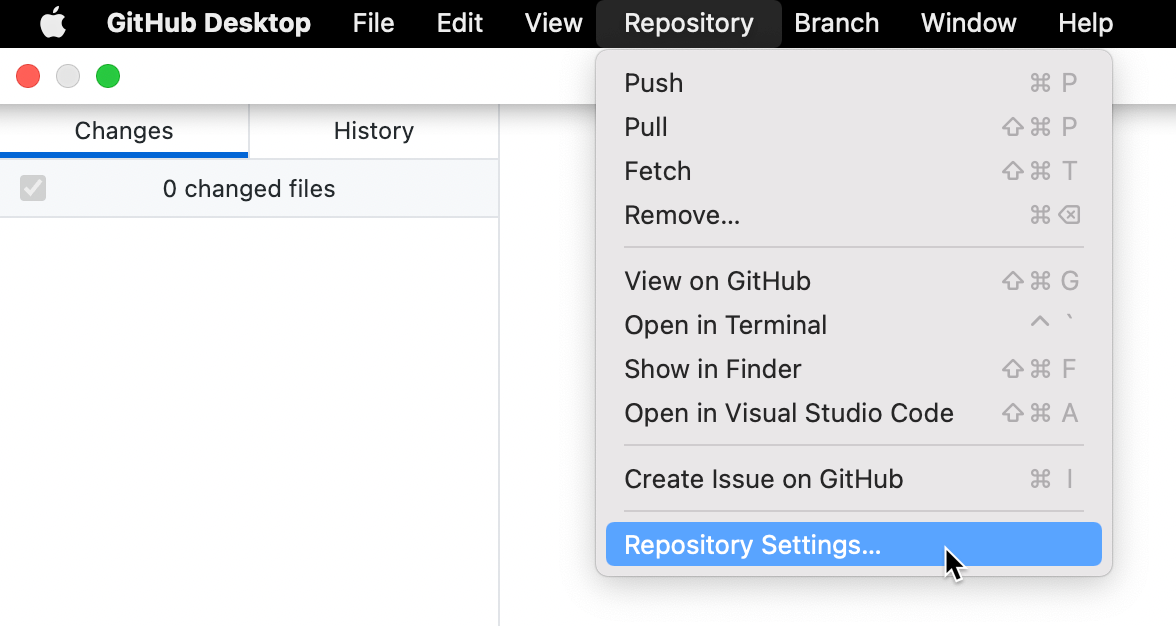
  1. In the "GitHub Desktop" menu bar, select Repository and click Repository Settings....

    Screenshot of the menu bar on a Mac. In the open "Repository" dropdown menu, a cursor hovers over "Repository Settings", highlighted in blue.

  2. On the Remote pane, under "Primary remote repository", type the desired URL.

  3. Click Save.

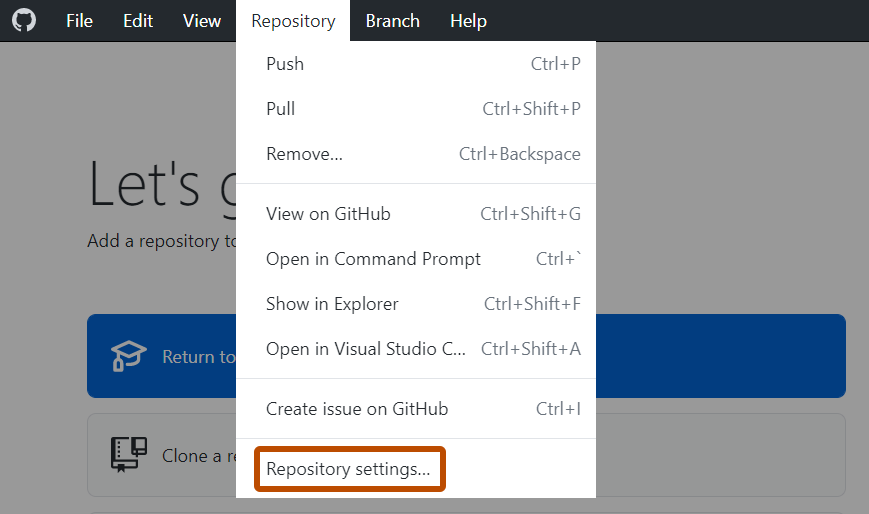
  1. In the Repository menu, click Repository settings....

    Screenshot of the "GitHub Desktop" menu bar on Windows. In the open "Repository" dropdown menu, "Repository Settings" is outlined in orange.

  2. On the Remote pane, under "Primary remote repository", type the desired URL.

  3. Click Save.