Enterprise Server 3.20 目前作为发布候选版本提供。

查看工作流程运行历史记录

您可以查看工作流程每次运行的日志。 日志包括工作流程中每个作业和步骤的状态。

Tool navigation

注意

GitHub Enterprise Server users should use self-hosted runners. GitHub-hosted runners are not supported.

Read access to the repository is required to perform these steps.

  1. On GitHub, navigate to the main page of the repository.

  2. Under your repository name, click Actions.

    Screenshot of the tabs for the "github/docs" repository. The "Actions" tab is highlighted with an orange outline.

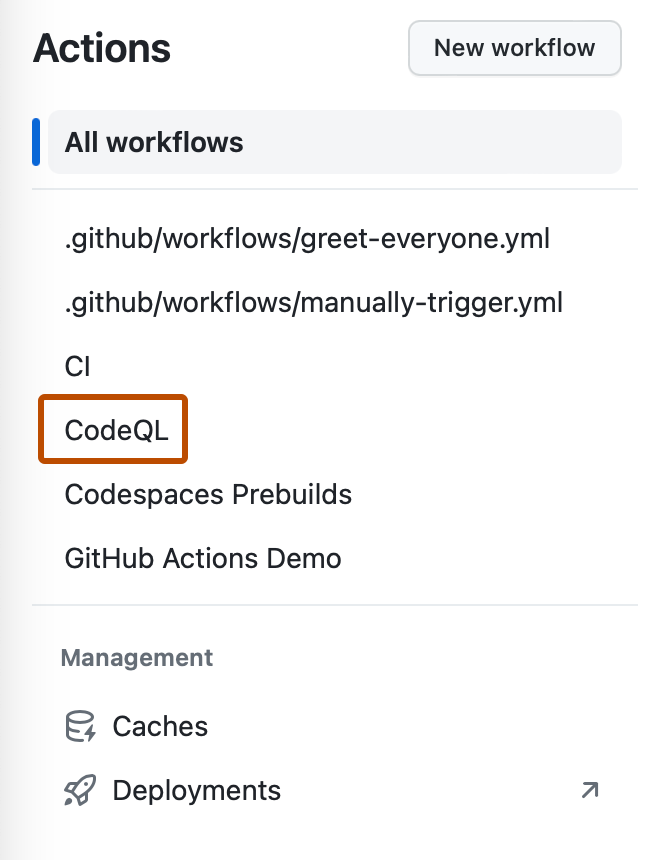
  3. In the left sidebar, click the workflow you want to see.

    Screenshot of the left sidebar of the "Actions" tab. A workflow, "CodeQL," is outlined in dark orange.

  4. From the list of workflow runs, click the name of the run to see the workflow run summary.

注意

To learn more about GitHub CLI, see About GitHub CLI.

Viewing recent workflow runs

To list the recent workflow runs, use the run list subcommand.

gh run list

To specify the maximum number of runs to return, you can use the -L or --limit flag . The default is 10.

gh run list --limit 5

To only return runs for the specified workflow, you can use the -w or --workflow flag. Replace workflow with either the workflow name, workflow ID, or workflow file name. For example, "Link Checker", 1234567, or "link-check-test.yml".

gh run list --workflow WORKFLOW

Viewing details for a specific workflow run

To display details for a specific workflow run, use the run view subcommand. Replace run-id with the ID of the run that you want to view. If you don't specify a run-id, GitHub CLI returns an interactive menu for you to choose a recent run.

gh run view RUN_ID

To include job steps in the output, use the -v or --verbose flag.

gh run view RUN_ID --verbose

To view details for a specific job in the run, use the -j or --job flag. Replace job-id with the ID of the job that you want to view.

gh run view --job JOB_ID

To view the full log for a job, use the --log flag.

gh run view --job JOB_ID --log

Use the --exit-status flag to exit with a non-zero status if the run failed. For example:

gh run view 0451 --exit-status && echo "run pending or passed"