Enterprise Server 3.20 目前作为发布候选版本提供。

使用可视化图表

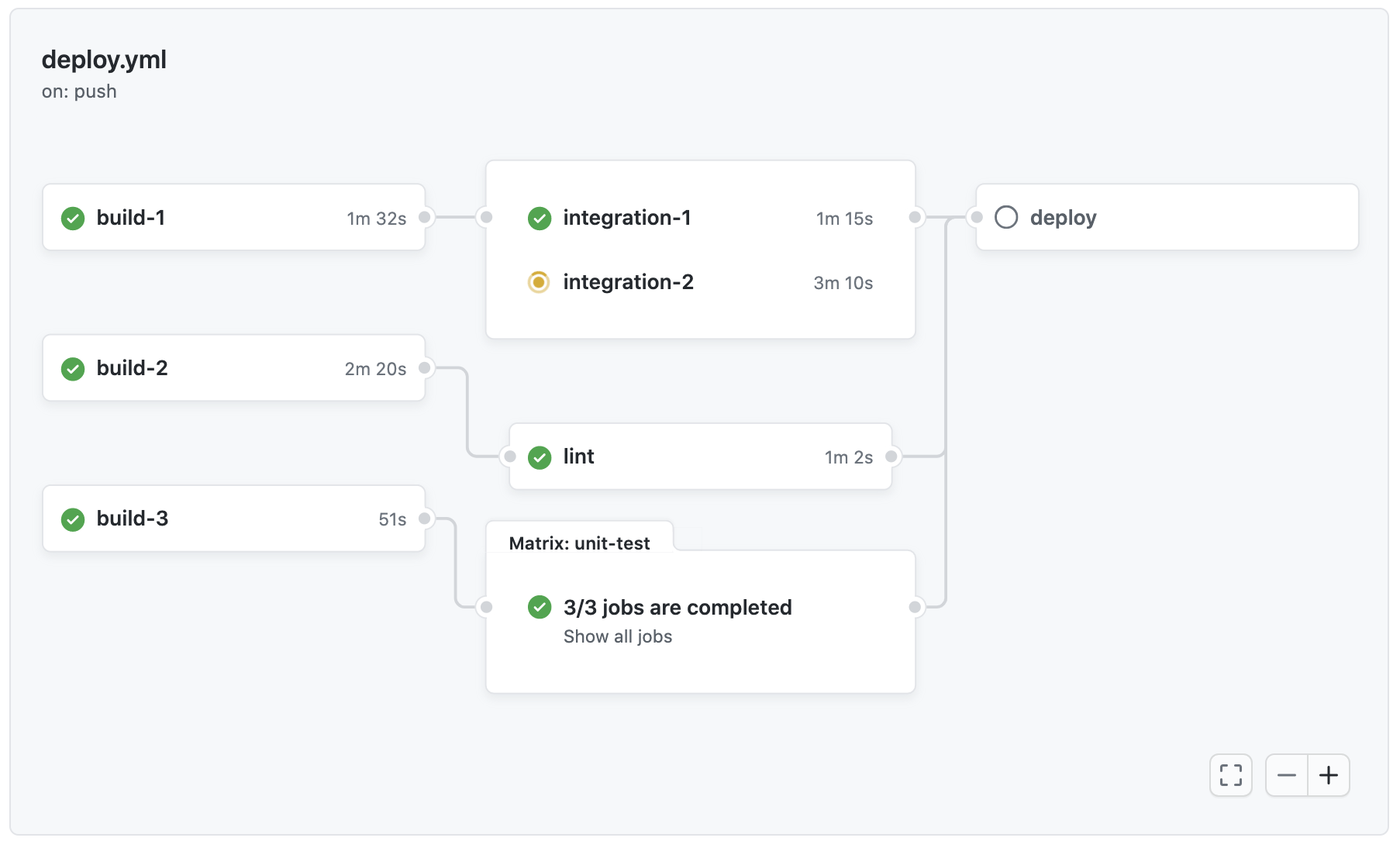
每个工作流程运行都会生成一个实时图表,说明运行进度。 您可以使用此图表来监控和调试工作流程。

注意

GitHub Enterprise Server users should use self-hosted runners. GitHub-hosted runners are not supported.

  1. On GitHub, navigate to the main page of the repository.

  2. Under your repository name, click Actions.

    Screenshot of the tabs for the "github/docs" repository. The "Actions" tab is highlighted with an orange outline.

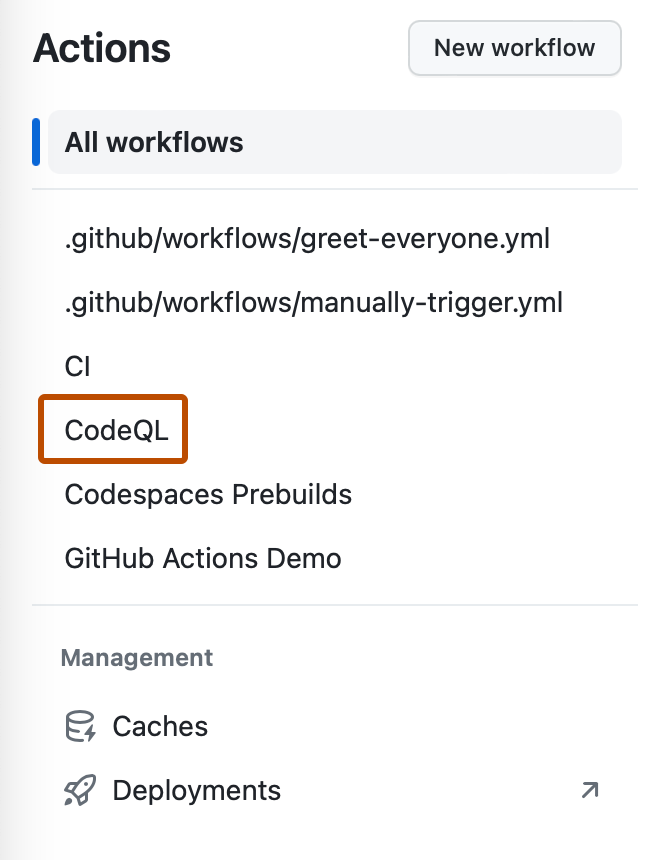
  3. In the left sidebar, click the workflow you want to see.

    Screenshot of the left sidebar of the "Actions" tab. A workflow, "CodeQL," is outlined in dark orange.

  4. From the list of workflow runs, click the name of the run to see the workflow run summary.

  5. The graph displays each job in the workflow. An icon to the left of the job name indicates the status of the job. Lines between jobs indicate dependencies.

    Screenshot of the visualization graph of a workflow run.

  6. To view a job's log, click the job.