可通过两种不同的方式为 GitHub Secret Protection, GitHub Code Security, and GitHub Advanced Security 许可证付费:提前购买的批量许可或订阅许可,或者按使用量计费并于事后付款。 本文介绍批量/订阅许可证。 有关这两种不同计费模式的信息,请参阅 GitHub Advanced Security 许可证计费。
有关在企业中使用策略控制许可证使用的信息,请参阅 强制实施企业的代码安全性和分析策略。
更改许可证的大小
-
在“计费和许可”页面列表中,单击“ 许可”。
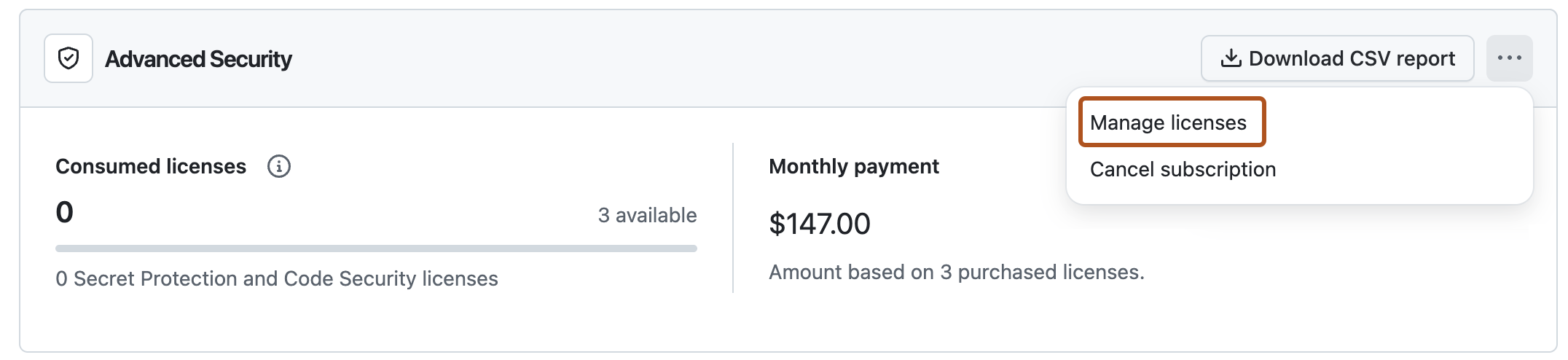
-
若要添加新许可证,请选择 ,然后单击“ 管理许可证”。
-
在“Total licenses”下,点击加号或减号按钮以添加或删除许可证。
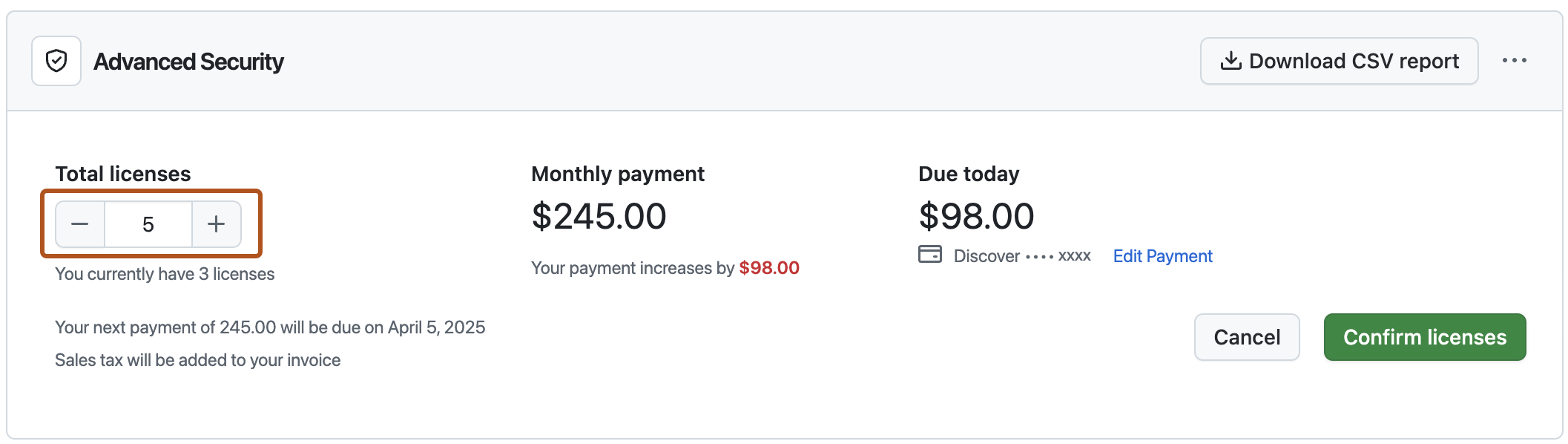
-
单击“Confirm licenses”****。


取消您的Advanced Security订阅
- 访问您的组织或企业。 例如,从“组织”或“企业”页面打开GitHub.com。
- 在“计费和许可”页面列表中,单击“ 许可”。
- 在“”Advanced Security右侧,选择 ,然后单击“ 取消订阅”。
- 若要确认取消,请单击 “我了解”,取消 Advanced Security。
在企业中禁用GitHub Advanced Security
企业所有者可以完全禁用 GitHub Advanced Security 并设置策略,以防止将来重新启用。 请参阅“禁用企业GitHub高级安全性”。