Re-running Dependabot jobs on GitHub Actions

Resolve run failures and manually update your dependencies by re-running Dependabot jobs.

谁可以使用此功能?

组织所有者和存储库管理员

Re-running a Dependabot version updates job

  1. 在 GitHub 上,导航到存储库的主页面。

  2. 在存储库名称下,单击“ Insights”选项卡****。

    存储库的主页的屏幕截图。 在水平导航栏中,以橙色框出了标有图形图标和“见解”的选项卡。

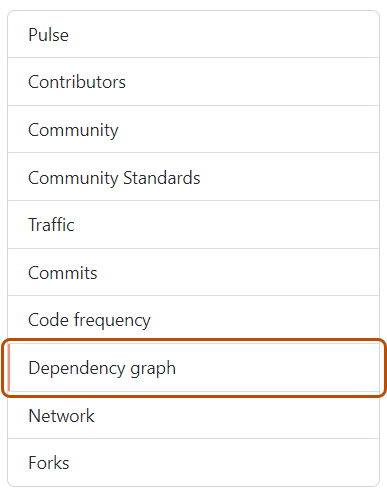
  3. 在左侧边栏中,单击“依赖项关系图”。

    “依赖项关系图”选项卡的屏幕截图。选项卡以橙色边框突出显示。

  4. 在“依赖项关系图”下,单击“Dependabot”。

  5. To the right of the name of manifest file that you're interested in, click Recent update jobs.

  6. To the right of the affected manifest file, click Check for updates to re-run a Dependabot version updates job and check for new updates to dependencies for that ecosystem.

Re-running a Dependabot security updates job

  1. 在 GitHub 上,导航到存储库的主页面。
  2. Under your repository name, click Security.
  3. In the left sidebar, under "Vulnerability alerts", click Dependabot.
  4. Under "Dependabot", click the alert you want to view.
  5. In the section displaying the error details for the alert, click Try again to re-run the Dependabot security updates job.