Affichage du graphe de dépendances
Le graphe de dépendances affiche les dépendances et les éléments dépendants de votre dépôt. Pour chaque dépendance, vous pouvez voir la version, les informations de licence, le fichier manifeste qui l’inclut, et si elle présente des vulnérabilités connues. Pour les écosystèmes de packages prenant en charge les dépendances transitives, l’état de la relation sera affiché et vous pourrez cliquer sur « », puis sur « Afficher les chemins », pour voir le chemin transitif qui a introduit la dépendance.
Vous pouvez également rechercher une dépendance spécifique à partir de la barre de recherche. Les dépendances sont triées automatiquement, les packages vulnérables apparaissant en haut de la liste. Pour plus d’informations sur la détection des dépendances et les écosystèmes pris en charge, consultez Écosystèmes de packages pris en charge par le graphe des dépendances.
-
Sur GitHub, accédez à la page principale du référentiel.
-
Sous le nom de votre référentiel, cliquez sur Insights.

-
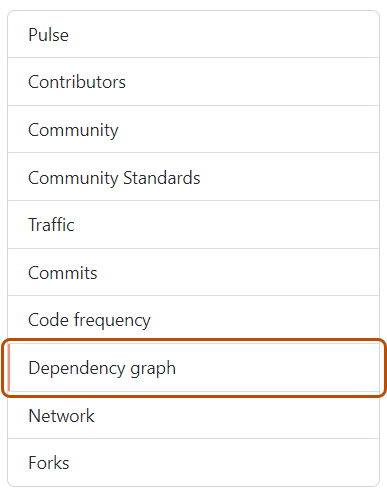
Dans la barre latérale à gauche, cliquez sur Graphe des dépendances.
-
Si vous le souhaitez, utilisez la barre de recherche pour rechercher une dépendance spécifique ou un ensemble de dépendances. Vous pouvez utiliser les mots-clés
ecosystem:pour afficher uniquement les packages d’un certain type, ourelationship:pour afficher uniquement les dépendances directes ou transitives (si l’écosystème prend en charge la transitivité). Les mots saisis tels quels dans la barre de recherche ne correspondent qu’aux noms de packages. -
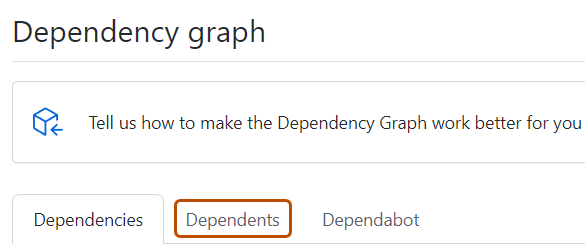
Si vous le souhaitez, pour afficher les référentiels et packages qui dépendent de votre dépôt, sous « Graphique de dépendances », cliquez sur Éléments dépendants.
Remarque
GitHub ne détermine actuellement les dépendants que pour les référentiels publics.


Affichage des dépendances
Pour chaque dépendance, vous pouvez voir son écosystème, le fichier manifeste dans lequel elle a été détectée, ainsi que sa licence (lorsqu’elle est identifiée).
-
Les dépendances des référentiels privés, des packages privés ou des fichiers non reconnus sont affichées en texte brut.
-
Si le gestionnaire de package pour la dépendance se trouve dans un référentiel public, vous pouvez pointer sur le nom de la dépendance pour afficher une fenêtre contextuelle avec les informations de référentiel associées.
-
Vous pouvez trier et filtrer les dépendances en saisissant des filtres sous forme de paires
key:valuedans la barre de recherche.- Utilisez
ecosystem: <ecosystem-name>pour afficher les dépendances de l’écosystème sélectionné. - Utilisez
relationship:pour filtrer la liste par statut de relation. Les valeurs possibles sontdirect,transitiveetinconclusive. Vous pouvez également cliquer sur l’étiquette de relation adjacente au nom d’une dépendance pour n’afficher que les dépendances ayant le même statut de relation. Ce filtre est uniquement disponible pour les écosystèmes prenant en charge les dépendances transitives. Pour plus d’informations, consultez Écosystèmes de packages pris en charge par le graphe des dépendances.
- Utilisez
Les dépendances soumises à un projet via l’API de soumission de dépendances indiquent quel détecteur a été utilisé pour leur soumission et quand elles ont été soumises. Pour plus d’informations sur l’utilisation de l’API de soumission de dépendances, consultez Utilisation de l’API de soumission de dépendances.
Si des vulnérabilités ont été détectées dans le dépôt, celles-ci apparaissent en haut de l’affichage pour les utilisateurs ayant accès aux Dependabot alerts.
Affichage des éléments dépendants
Pour les référentiels publics, l’affichage des éléments dépendants montre comment le référentiel est utilisé par les autres dépôts. Pour afficher uniquement les référentiels qui contiennent une bibliothèque dans un gestionnaire de package, cliquez sur nombre packages juste au-dessus de la liste des référentiels dépendants. Les nombres d’éléments dépendants sont approximatifs et peuvent ne pas toujours correspondre aux dépendants listés.