Anzeigen von malware alerts für Ihr Repository
- Navigieren Sie auf GitHub zur Hauptseite des Repositorys.
- Klicken Sie unter dem Repositorynamen auf die Security and quality Registerkarte. Wenn die Registerkarte " Security and quality" nicht angezeigt wird, wählen Sie das Dropdownmenü aus, und klicken Sie dann auf Security and quality.
- Im Abschnitt „Ergebnisse“ der Seitenleiste wählst du die Dependabot Dropdown-Menü und klicke dann auf Malware.
- Optional können Sie die Suchleiste oder Dropdownmenüs filtern, um Warnungen zu finden, die bestimmten Kriterien entsprechen.
Anzeigen malware alerts für Ihre Organisation
- Klicke in der rechten oberen Ecke von GitHub auf dein Profilbild und dann auf Your organizations.
- Klicken Sie auf den Namen der Organisation, die Sie anzeigen möchten.
- Klicken Sie unter dem Namen Ihrer Organisation auf die Security and quality Registerkarte.
- Im Abschnitt „Ergebnisse“ der Seitenleiste wählst du die Dependabot Dropdown-Menü und klicke dann auf Malware.
- Optional können Sie die Suchleiste oder Dropdownmenüs filtern, um Warnungen zu finden, die bestimmten Kriterien entsprechen.
Anzeigen von malware alerts für Ihr Unternehmen
- Navigieren Sie zu Ihrem Unternehmen. Beispielsweise auf der Seite Unternehmen in GitHub.com.
- Klicken Sie oben auf der Seite auf die Security and quality Registerkarte. 1. Im Abschnitt „Ergebnisse“ der Seitenleiste wählst du die Dependabot Dropdown-Menü und klicke dann auf Malware.
- Optional können Sie die Suchleiste oder Dropdownmenüs filtern, um Warnungen zu finden, die bestimmten Kriterien entsprechen.
malware alerts wird verworfen
- Navigieren Sie zur Dependabot malware alerts Ansicht für Ihr Repository, Ihre Organisation oder Ihr Unternehmen.
- Klicken Sie auf den Namen des malware alert, den Sie entfernen möchten.
- Klicken Sie in der oberen rechten Ecke auf " Warnung schließen", und wählen Sie dann einen Grund für das Schließen der Warnung aus.
- Optional können Sie einen Kündigungskommentar schreiben. Der Kommentar zum Schließen wird der Zeitleiste der Warnung hinzugefügt und kann bei Prüfungen und Berichterstellungen als Begründung verwendet werden.
- Klicke auf Warnung schließen.
Erneutes Öffnen eines verworfenen malware alert
-
Navigieren Sie zur Dependabot malware alerts Ansicht für Ihr Repository, Ihre Organisation oder Ihr Unternehmen.
-
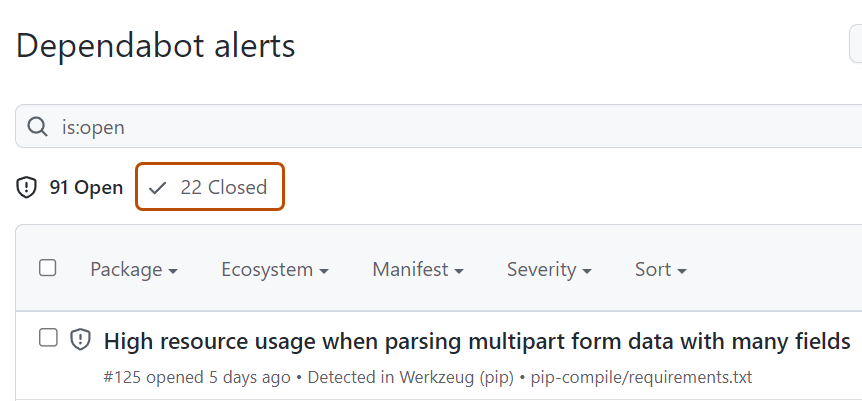
Klicken Sie auf ZAHL geschlossen, um geschlossene Warnungen anzuzeigen.
-
Klicke auf die Warnung, die du anzeigen oder aktualisieren möchtest.
-
Klicken Sie in der oberen rechten Ecke auf "Erneut öffnen".

Nächste Schritte
Um Fehlalarme bei internen Paketen und Warnungen mit geringem Risiko zu reduzieren, können Sie Dependabot auto-triage rules so konfigurieren, dass Warnungen, die bestimmte Kriterien erfüllen, automatisch ignoriert werden. Siehe Automatische Triageregeln von Dependabot.