Wenn Ihr persönliches GitHub Konto Mitglied eines Unternehmens ist, können Sie das Unternehmen jederzeit verlassen.
Nachdem Sie ein Unternehmen verlassen haben, sind Sie kein Mitglied einer Organisation im Unternehmen mehr, und Sie verlieren GitHub Copilot Lizenzen und andere Berechtigungen, die über das Unternehmen gewährt werden.
Hinweis
Wenn du einen verwaltetes Benutzerkonto verwendest, der von deinem Unternehmen bereitgestellt wird, können nur Administratoren dich aus dem Unternehmen entfernen. Du verwendest einen verwaltetes Benutzerkonto, wenn alle Benutzernamen in deinem Unternehmen mit einem Muster wie _CODE enden, oder wenn du auf das Unternehmen über eine Domäne wie octocorp.ghe.com zugreifst.
Verlassen eines Unternehmens
Um ein Unternehmen zu verlassen, müssen Sie sich selbst aus jeder Organisation im Unternehmen entfernen und dann das Unternehmen selbst verlassen.
-
Verlassen Sie jede Organisation im Unternehmen.
- Wechseln Sie in Ihren Einstellungen zur Seite "Unternehmen ".
- Klicken Sie auf das Unternehmen, das Sie verlassen möchten, und klicken Sie dann auf die Registerkarte " Organisationen ".
- Verwenden Sie die Dropdownliste "Ihre Rolle ", um die Organisationen anzuzeigen, in denen Sie Mitglied sind.
- Verlassen Sie jede Organisation, indem Sie die Anweisungen in Sich selbst aus einer Organisation entfernen befolgen.
-
Wechseln Sie zurück zur Seite " Unternehmen ", und überprüfen Sie, ob das Unternehmen noch aufgelistet ist. Wenn sie nicht aufgeführt ist, haben Sie das Unternehmen verlassen.
-
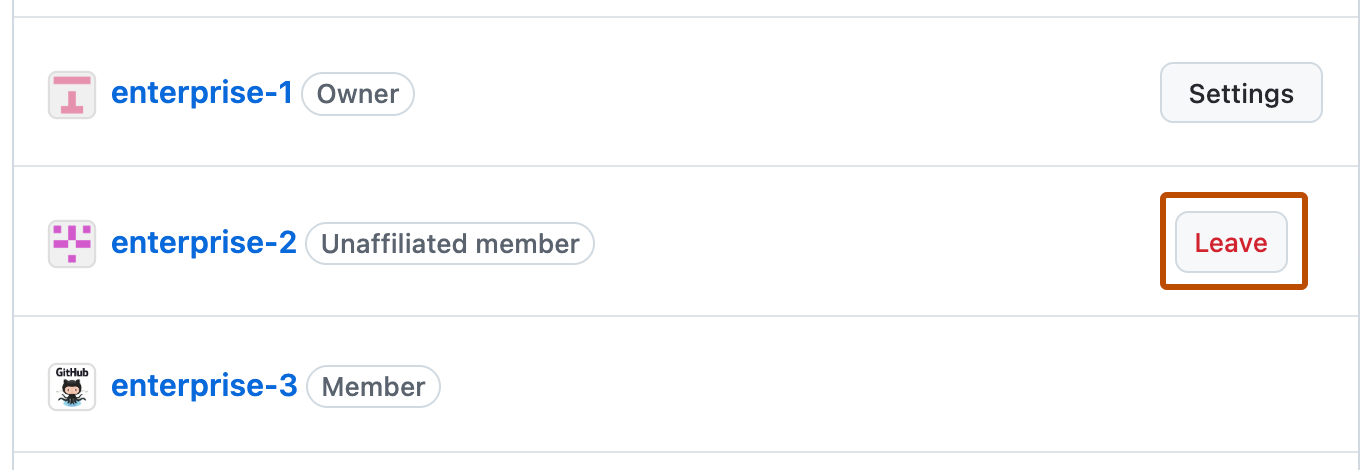
Wenn das Unternehmen noch aufgeführt ist, überprüfen Sie Ihre Rolle für das Unternehmen, und ergreifen Sie die entsprechende Aktion, um zu verlassen:If the enterprise is still listed, check your role for the enterprise and take the appropriate action to leave:
- Wenn Sie ein nicht verbundenes Mitglied sind, klicken Sie neben dem Unternehmensnamen auf "Verlassen".
- Wenn Sie Besitzer sind, müssen Sie zu den Unternehmenseinstellungen wechseln und sich selbst entfernen. Weitere Informationen findest du unter Einladen von Personen zum Verwalten deines Unternehmens.
- Wenn Sie ein Abrechnungsmanager sind, müssen Sie einen Unternehmensbesitzer bitten, Sie mithilfe der Anweisungen in Einladen von Personen zum Verwalten deines Unternehmens zu entfernen.