Повторное проведение Dependabot version updates работы
-
На GitHubперейдите на главную страницу репозитория.
-
Под именем репозитория щелкните Insights.

-
На левой боковой панели щелкните Граф зависимостей.
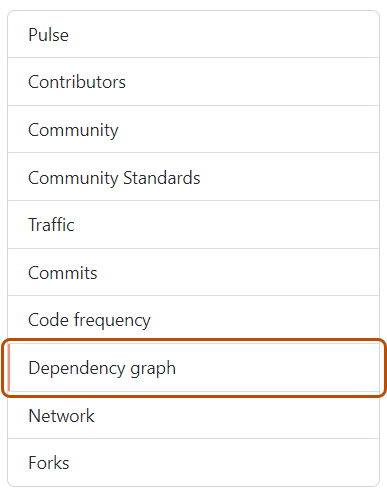
-
В разделе "Граф зависимостей" щелкните Dependabot.
-
Справа от имени интересующего вас файла манифеста нажмите кнопку "Последние задания обновления".
-
Справа от затронутого файла манифеста нажмите « Проверить обновления » для повторного Dependabot version updates запуска задания и проверьте новые обновления зависимостей для этой экосистемы.


Повторное проведение Dependabot security updates работы
- На GitHubперейдите на главную страницу репозитория.
- Под названием вашего репозитория нажмите Security and quality.
- В левой боковой панели, в разделе «Оповещения о уязвимости», нажмите Dependabot.
- В разделе «Dependabot», нажмите на уведомление, которое хотите просмотреть.
- В разделе с деталями ошибки уведомления нажмите «Попробовать снова », чтобы повторно запустить Dependabot security updates задание.