
이 버전의 GitHub Enterprise Server는 다음 날짜에 중단됩니다. 2026-08-25. 지원되지 않는 릴리스는 지원되지 않습니다. 중요한 보안 문제에 대해서도 패치 릴리스가 이루어지지 않습니다. GitHub Enterprise Server의 향상된 성능, 향상된 보안 및 새로운 기능은 업그레이드 프로세스의 오버뷰 참조하세요. 업그레이드에 대한 도움이 필요하면 GitHub Enterprise 지원에 문의하세요.

Allowing changes to a pull request branch created from a fork

Enable collaboration by allowing repository maintainers to commit changes to pull request branches created from forks in your personal account.

누가 이 기능을 사용할 수 있나요?

People with push access to the upstream repository of a fork in a personal account can commit to the forked branches.

When someone creates a pull request from their fork, they usually decide whether other people can commit to the pull request's compare branch. For greater collaboration, the author can give maintainers of the upstream repository—that is, anyone with push access to the upstream repository—permission to commit to the compare branch. See 포크들.

Pull request authors can set these permissions when they create a pull request from a fork in a personal account. They can also update an existing pull request to let repository maintainers commit to the branch. See Creating a pull request from a fork.

Enabling repository maintainer permissions on existing pull requests

  1. On GitHub, navigate to the main page of the upstream repository of your pull request.

  2. Under the upstream repository name, click Pull requests.

    Screenshot of the main page of a repository. In the horizontal navigation bar, a tab, labeled "Pull requests," is outlined in dark orange.

  3. In the list of pull requests, navigate to the pull request that you'd like to allow commits on.

  4. 사용자 소유 포크에서 업스트림 리포지토리에 대한 푸시 액세스 권한이 있는 모든 사용자가 끌어오기 요청을 변경할 수 있도록 하려면 유지 관리자의 편집 허용을 선택합니다.

    경고

    포크에 GitHub Actions 워크플로가 포함된 경우 옵션은 유지 관리자의 비밀 편집 및 액세스 허용입니다. GitHub Actions 워크플로를 포함하는 포크 분기에 대한 편집을 허용하면 유지 관리자가 분기된 리포지토리의 워크플로를 편집할 수도 있습니다. 이 워크플로는 잠재적으로 비밀 값을 공개하고 다른 분기에 대한 액세스 권한을 부여할 수 있습니다.
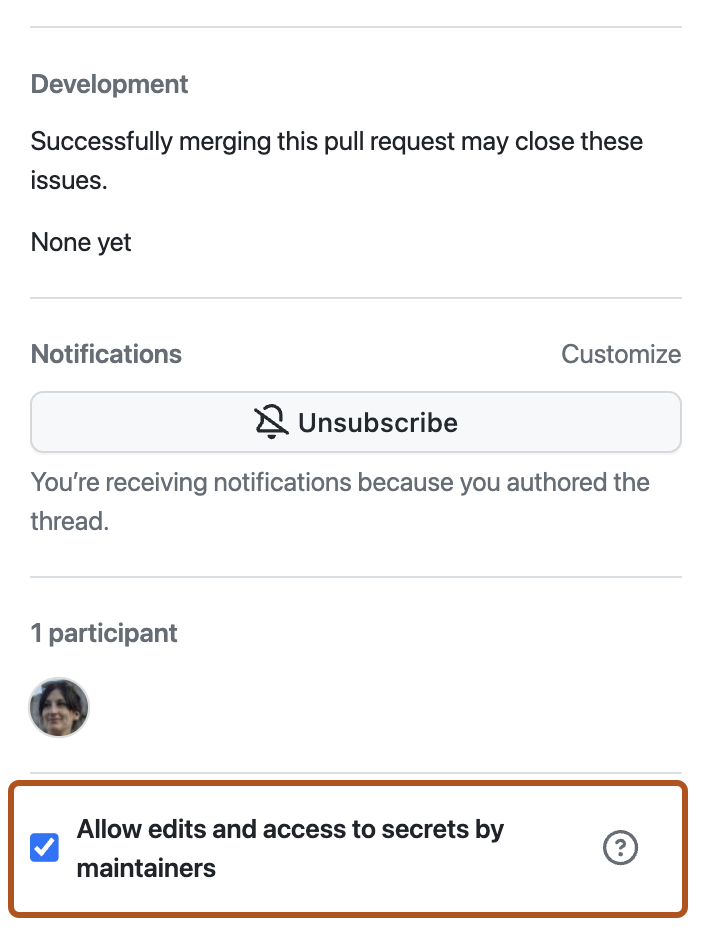
    Screenshot of a pull request. On the bottom right, the "Allow edits and access to secrets by maintainers" checkbox is enabled and outlined in orange.

Further reading
