GitHub Desktop 제거

언제든지 컴퓨터에서 GitHub Desktop을 제거할 수 있습니다.

Platform navigation

  1. Open the Finder on your Mac and navigate to the "Applications" folder.

  2. Right-click GitHub Desktop and click Move to Trash.

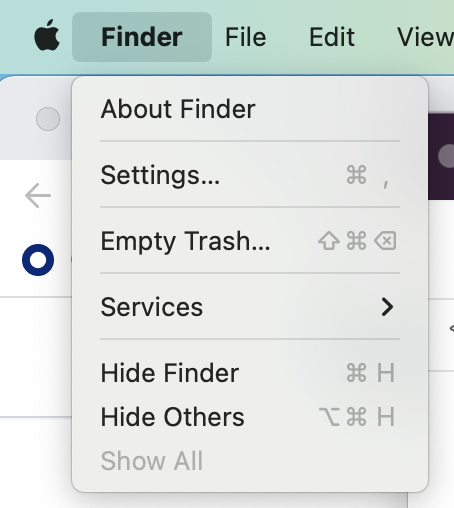
  3. In the menu bar, select the Finder dropdown menu, then click Empty Trash.

    Screenshot of the menu bar on a Mac. The "Finder" dropdown menu is expanded.

  4. Read the warning in the pop-up box and click Empty Trash.

  1. Open the Start menu, then search for and open Control Panel.
  2. Under "Programs", click Uninstall a program.
    Screenshot of a window labeled "Adjust your computer's settings". A link, labeled "Uninstall a program", is highlighted with an orange outline.
  3. Right-click the entry named GitHub Desktop, then click Uninstall.