Prerequisites
Avant d’activer Présélections GitHub pour votre référentiel, vous devez être familiarisé avec leurs fonctionnalités et leur objectif. Consultez « À propos des règles de triage automatique de Dependabot ».
Activation des règles prédéfinies GitHub
-
Sur GitHub, accédez à la page principale du référentiel.
-
Sous le nom de votre référentiel, cliquez sur Paramètres. Si vous ne voyez pas l’onglet « Paramètres », sélectionnez le menu déroulant , puis cliquez sur Paramètres.

-
Dans la section « Sécurité » de la barre latérale, cliquez sur Code security.
-
Dans la section « Dependabot », à droite de « Règles Dependabot », cliquez sur .
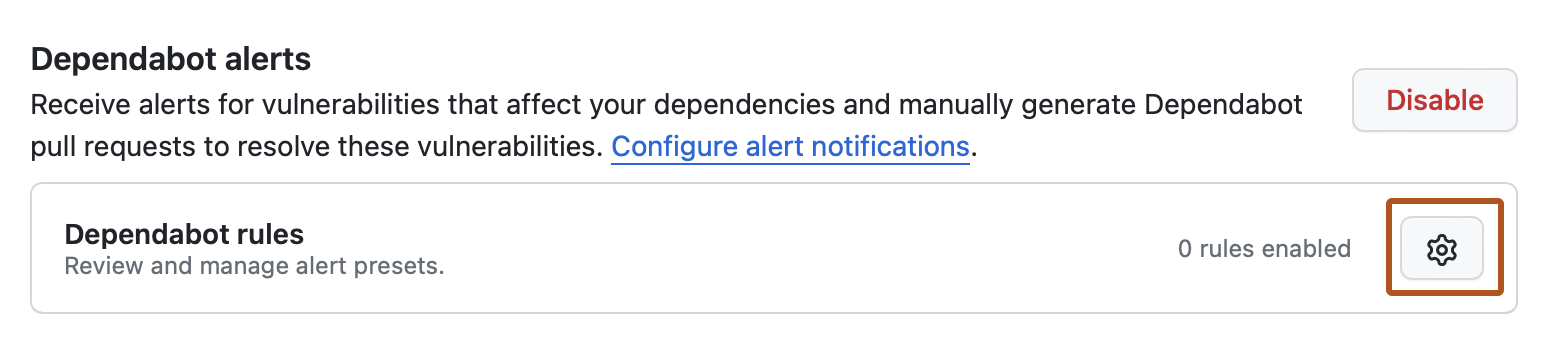
-
Dans la section "Présélections GitHub", à droite de la règle que vous souhaitez activer, cliquez sur .
-
Dans la section « État », sélectionnez le menu déroulant, puis cliquez sur Activé.
-
Cliquez sur Enregistrer la règle.

