Enabling private vulnerability reporting gives security researchers a secure, structured way to disclose vulnerabilities directly in your repository. Once enabled, researchers can submit reports through without resorting to public disclosure or informal channels. For background on private vulnerability reporting and how it fits into coordinated disclosure, see About coordinated disclosure of security vulnerabilities.
The instructions in this article refer to enablement at repository level. For information about enabling the feature at organization level, see About coordinated disclosure of security vulnerabilities.
Enabling or disabling private vulnerability reporting for a repository
-
On GitHub, navigate to the main page of the repository.
-
Under your repository name, click Settings. If you cannot see the "Settings" tab, select the dropdown menu, then click Settings.

-
In the "Security" section of the sidebar, click Advanced Security.
-
Under "Advanced Security", to the right of "Private vulnerability reporting", click Enable or Disable, to enable or disable the feature, respectively.
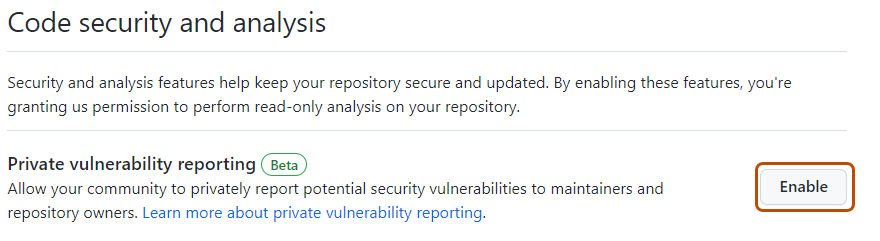


When private vulnerability reporting is enabled, security researchers see a Report a vulnerability button on the repository’s "Advisories" page, which allows them to submit a private report.

Security researchers can also use the REST API to privately report security vulnerabilities. See REST API endpoints for repository security advisories.
Configuring notifications for private vulnerability reporting
When a new vulnerability is privately reported in a repository, GitHub notifies repository administrators and security managers if:
- They're watching the repository for all activity or are subscribed to “Security alerts” notifications.
- They have notifications enabled for the repository.
Notifications depend on the user's notification preferences. You will receive an email notification if:
- You are watching the repository with All Activity selected, or with Security alerts (available under Custom) selected.
- In your notification settings, under Subscriptions, then under Watching, you have selected to receive notifications by email.
-
On GitHub, navigate to the main page of the repository.
-
To start watching the repository, select Watch.

-
In the dropdown menu, select All Activity to receive notifications for all activity, or select Custom, then Security alerts to receive notifications only for security alerts.
-
Navigate to the notification settings for your personal account. These are available at https://github.com/settings/notifications.
-
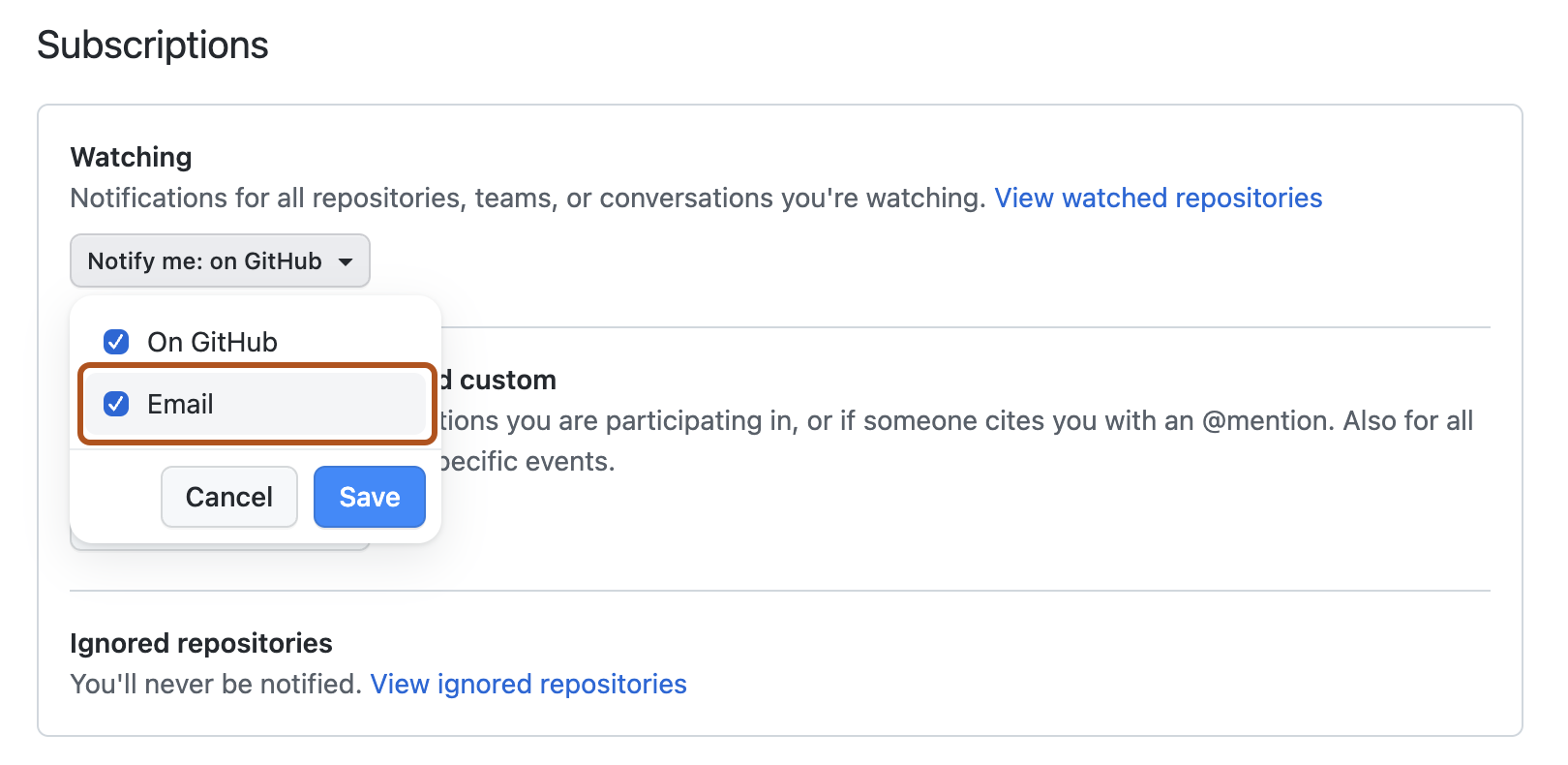
On your notification settings page, under "Subscriptions," then under "Watching," click the Notify me dropdown.
-
Select "Email" as a notification option, then click Save.


For more information about setting up notification preferences, see Managing security and analysis settings for your repository and Configuring your watch settings for an individual repository.