Viewing your issues and pull requests
Your issue and pull request dashboards are available at the top of any page. On each dashboard, you can filter the list to find issues or pull requests you created, that are assigned to you, or in which you're mentioned. You can also find pull requests that you've been asked to review.
-
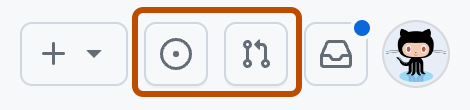
At the top of any page, click to see your issues or to see your pull requests.
-
Optionally, choose a filter or use the search bar to filter for more specific results. For more information, see Filtering and searching issues and pull requests.
