끌어오기 요청 검토 무시

리포지토리에 검토가 필요한 경우 더 이상 유효하지 않거나 검토자가 승인할 수 없는 끌어오기 요청 검토를 해제할 수 있습니다.

If a pull request has changed since it was reviewed and the person who requested changes isn't available to give an approving review, repository administrators or people with write access can dismiss a review. This changes the status of the review to a review comment. When you dismiss a review, you must add a comment explaining why you dismissed it. Your comment will be added to the pull request conversation.

You can find a pull request where you or a team you're a member of is requested for review with the search qualifier review-requested:[USERNAME] or team-review-requested:[TEAMNAME]. For more information, see Searching issues and pull requests.

  1. Under your repository name, click Pull requests.

    Screenshot of the main page of a repository. In the horizontal navigation bar, a tab, labeled "Pull requests," is outlined in dark orange.

  2. In the list of pull requests, click the pull request you'd like to review.

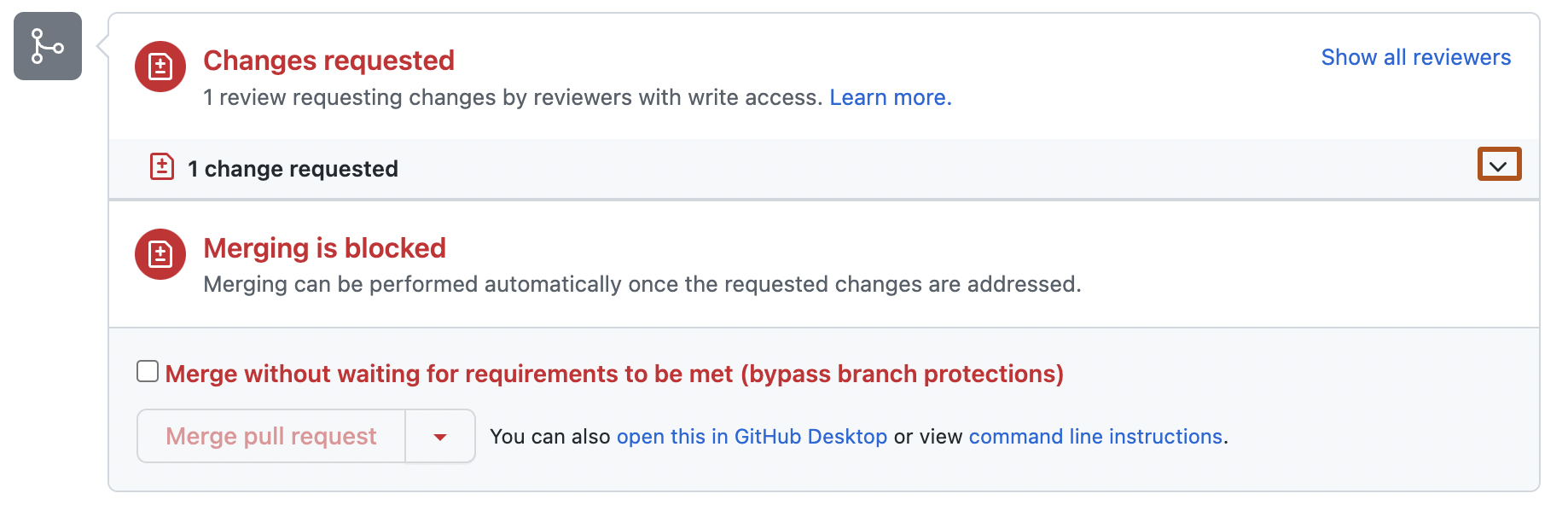
  3. On the "Conversation" tab, next to the summary of reviews, click .

    Screenshot of the merge box for a pull request. The chevron icon to see the reviews is outlined in dark orange.

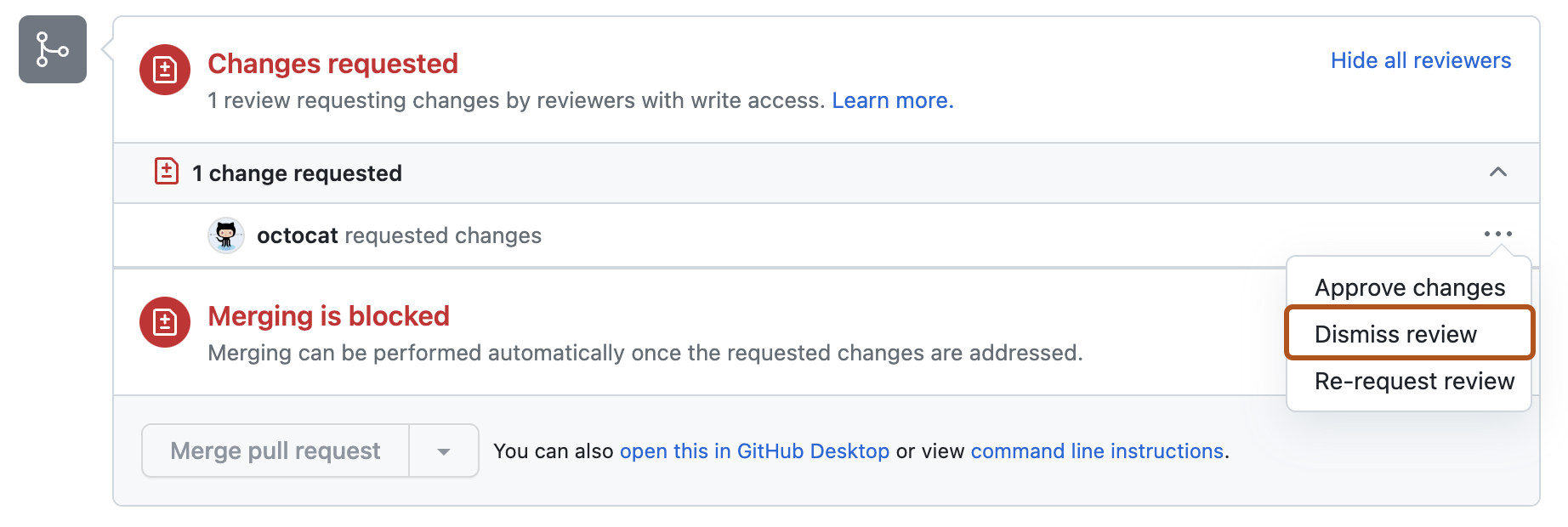
  4. Next. to the review you'd like to dismiss, select the dropdown menu, then click Dismiss review.

    Screenshot of the merge box of a pull request. The Show options menu (kebab icon), is expanded, and the "Dismiss review" option is outlined in orange.

  5. Type your reason for dismissing the review, then click Dismiss review.

Further reading