Creating a merge protection ruleset for a repository
-
On GitHub, navigate to the main page of the repository.
-
Under your repository name, click Settings. If you cannot see the "Settings" tab, select the dropdown menu, then click Settings.

-
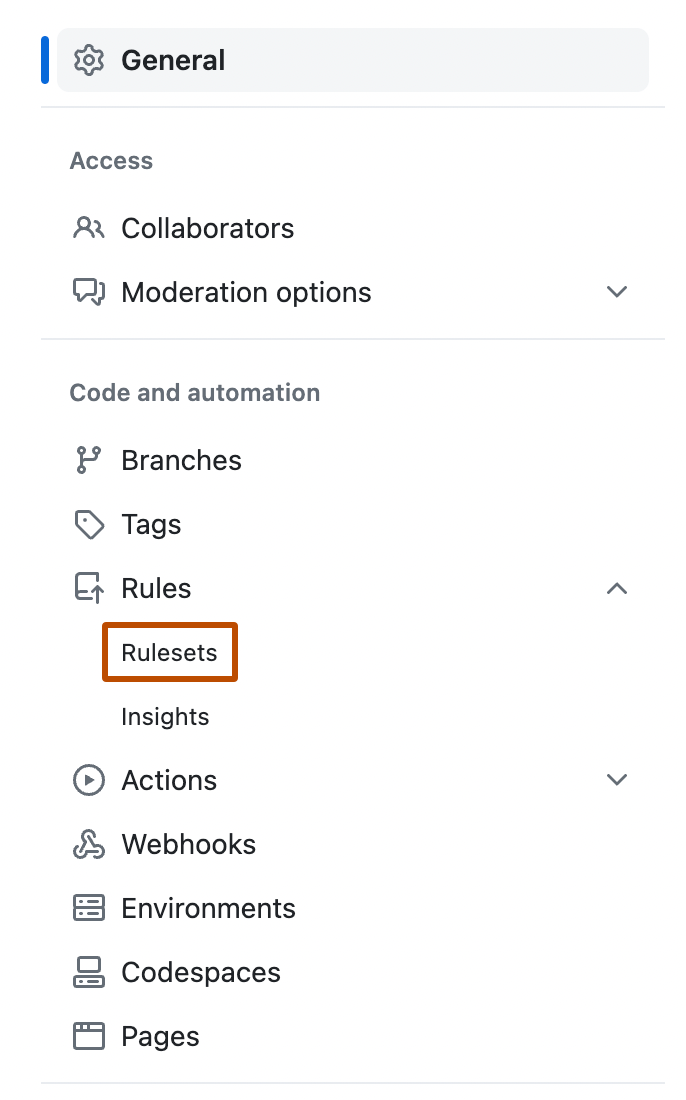
In the left sidebar, under "Code and automation," click Rules, then click Rulesets.
-
Click New ruleset.
-
To create a ruleset targeting branches, click New branch ruleset.
-
Under "Ruleset name," type a name for the ruleset.
-
Optionally, to change the default enforcement status, click Disabled and select an enforcement status.
-
Under "Branch protections", select Require code scanning results.
-
Under "Required tools and alert thresholds", click Add tool and select a code scanning tool with the dropdown. For example, "CodeQL".
-
Next to the name of a code scanning tool:
- Click Alerts and select one of: None, Errors, Errors and Warnings or All.
- Click Security alerts and select one of: None, Critical, High or higher, Medium or higher, or All.
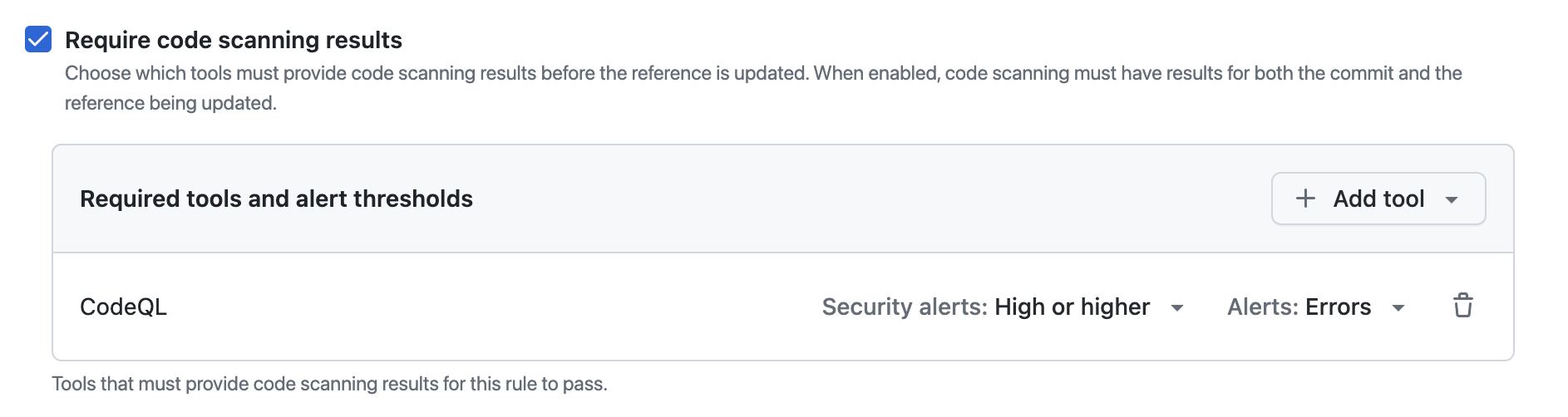


For more information about alert severity and security severity levels, see Code scanning alerts.
For more information about managing rulesets in a repository, see Managing rulesets for a repository.
Creating a merge protection ruleset with the REST API
You can use the REST API to create a ruleset with the code_scanning rule, which allows you to define specific tools and set alert thresholds. For more information, see REST API endpoints for rules.